Portfolio Website
A personal portfolio to showcase my coding projects, resume, and skills in a beautifully designed format.
Mon May 26 2025
Next.jsTailwind CSSTypeScriptMDXTurborepoShadcn UIFramer Motion
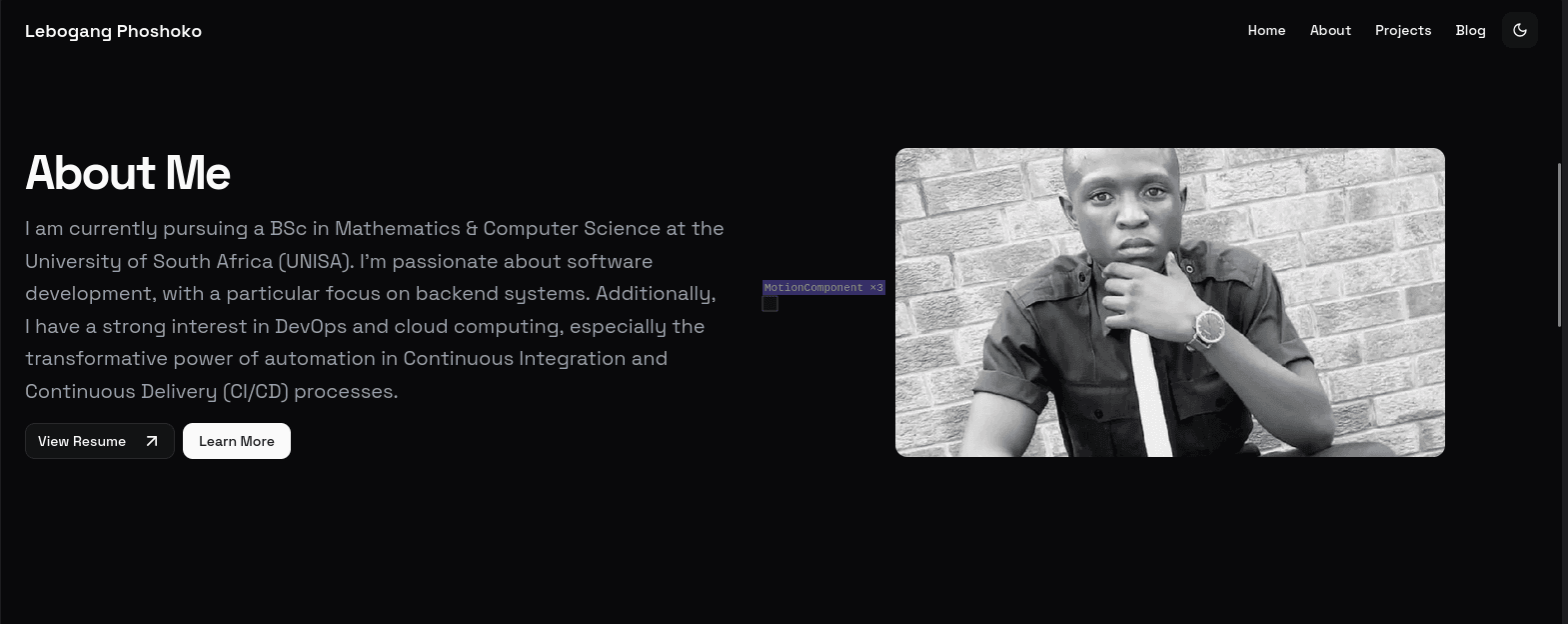
💡 I used this template to make this portolio. You can have a look at the repo here.
🚀 I created this website to have an online presence and to share my work with potential employers. The project helped me improve my front-end development skills and learn more about modern web development practices. More so, how to be a power user of Turborepo, my favourite JavaScript/TypeScript build tool.
✨ Features
- 📄 Resume Integration: Include a downloadable version of my resume in PDF format.
- 🎯 Project Showcase: A Display with detailed descriptions of my coding projects with links to live demos and repositories.
- 🔧 Skills Section: Highlight technical skills in an organized and visually appealing way.
- 📱 Responsive Design: Optimized for seamless viewing across devices.
- ✍️ Blog Section: Articles written using MDX, enabling dynamic content creation.
🛠️ Tech Stack
- 🖥️ Frontend: React with Next.js
- 🎨 Styling: Styled with Tailwind CSS
- 📝 Content Management: Leveraged MDX to write interactive blogs directly in Markdown.
- ☁️ Hosting: Deployed on Vercel
🚢 Deployment
- 🔄 Continuous integration with GitHub Actions
- 🌐 Continuous deployment using Vercel with automatic build triggers from GitHub.
- ⚡ Optimized performance with lazy loading and image optimization using Next.js Image.
🧩 Challenges Faced
💭 I'm slowly becoming more efficient when it comes to receiving a codebase, familiarizing myself with it and being able to mess around with the code to my liking. A couple of months ago, I promise you, I would have not been able to do what I did with this portfolio template.
- 🔍 Fidgetting with the CSS modules to get my feel down to the site.
- 🚀 Deploying to prod with little errors!
🔮 Future Enhancements
- 🗃️ Add a CMS, to create a single database to manage all content of the website & user authentication